mirror of
https://github.com/pallets-eco/flask-debugtoolbar.git
synced 2026-01-05 21:20:12 -06:00
 128bd5af6f
use standard project layout and tool config across all pallets and
pallets-eco projects

* add issue templates
* add dependabot grouped updates for actions and pypi
* add lock inactive closed issues workflow
* add publish workflow with slsa and trusted publishing
* simplify tests workflow matrix
* simplify docs config.py
* show license in docs
* use pip-compile to pin development dependencies
* rename test to tests
* add .editorconfig
* simplify .gitignore
* add pre-commit hooks (will run formatters  in a subsequent PR)
* pin os and python in .readthedocs.yaml
* update license with original commit date and pallets-eco
* use pyproject.toml and flit_core instead of setuptools
* only declare flask dependency
* add config for mypy and pyright (will add typing in a subsequent PR)
* readme is markdown
* add pallets-eco message to readme
* remove install and docs links from readme
* add style, typing, docs tox envs
* use faster wheel building tox config
* add tox command to update dev dependencies
1.2 KiB
1.2 KiB
Flask-DebugToolbar
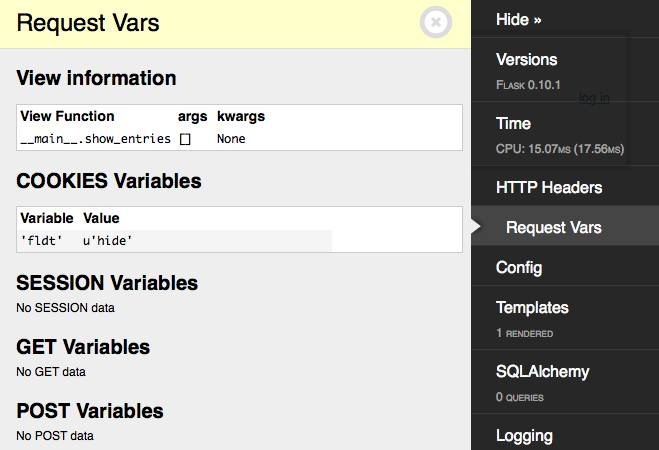
A [Flask][] extension that injects debugging information into rendered HTML pages. Presented as a sidebar with configurable panels of information.
This is a port of the excellent [django-debug-toolbar] https://github.com/jazzband/django-debug-toolbar`_.
Pallets Community Ecosystem
Important
This project is part of the Pallets Community Ecosystem. Pallets is the open source organization that maintains Flask; Pallets-Eco enables community maintenance of related projects. If you are interested in helping maintain this project, please reach out on the Pallets Discord server.
Example
Setting up the debug toolbar is simple:
from flask import Flask
from flask_debugtoolbar import DebugToolbarExtension

app = Flask(__name__)
app.config["SECRET_KEY"] = "<replace with a secret key>"

toolbar = DebugToolbarExtension(app)
The toolbar will automatically be injected into Jinja templates when debug mode is enabled.
$ flask -A my_app run --debug