mirror of
https://github.com/formbricks/formbricks.git
synced 2026-04-24 03:21:20 -05:00
 Dhruwang Jariwala
39 lines
1.8 KiB
Plaintext
39 lines
1.8 KiB
Plaintext
---
|
||
title: Zapier (On Premise)
|
||
description: Set up automations with your self-hosted Zapier instance.
|
||
---
|
||
|
||
The Zapier integration allows you to create automations based on survey responses.
|
||
|
||
<Note>
|
||
If you are using Formbricks Cloud, you will need to configure this
|
||
integration differently. Please follow this guide
|
||
[here](/xm-and-surveys/core-features/integrations/zapier) to set it up.
|
||
</Note>
|
||
|
||
## Setup
|
||
|
||
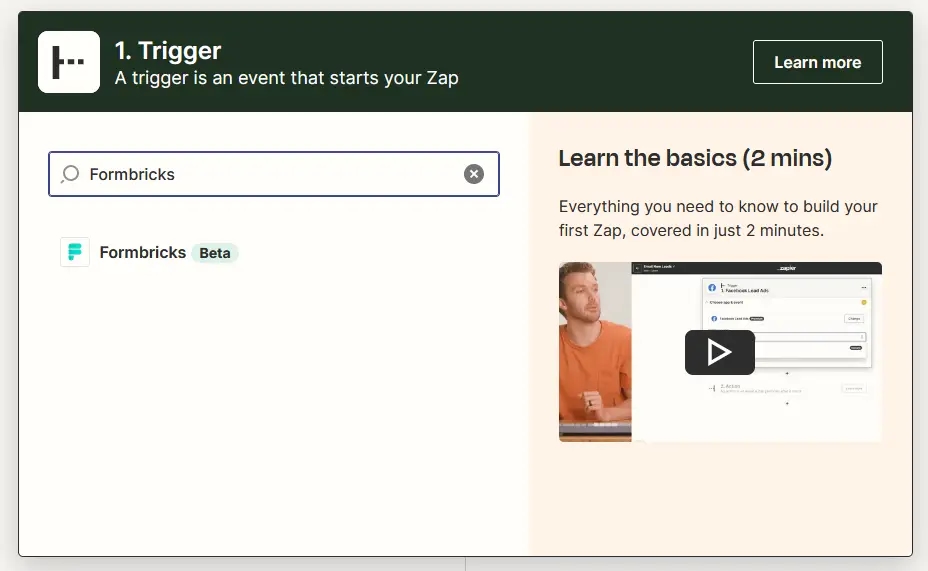
Setup your Zap: Go to [zapier.com](https://zapier.com/) and create a new Zap. Search for “Formbricks” to get started:
|
||
|
||
|
||
|
||
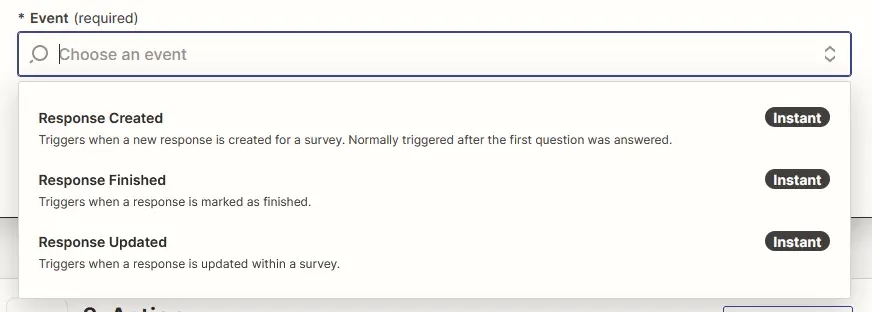
Then, choose the event you want to trigger the Zap on:
|
||
|
||
|
||
|
||
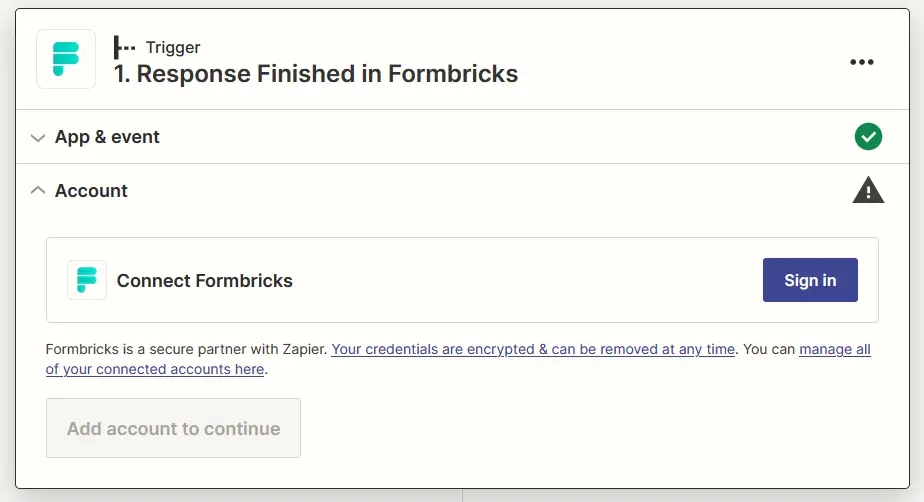
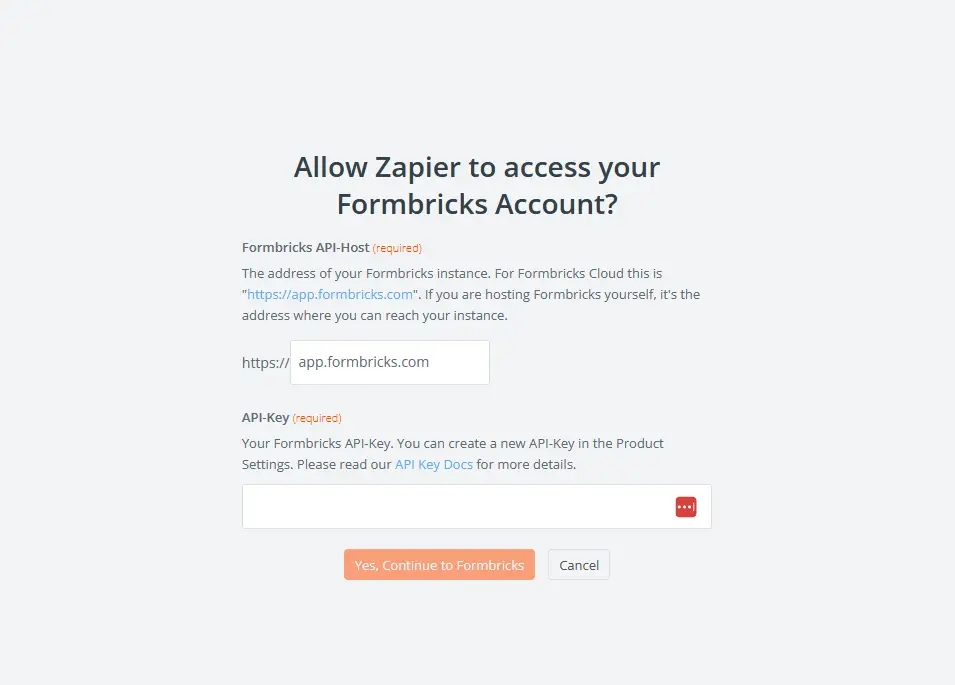
Connect Formbricks with Zapier: You have to connect Zapier with Formbricks via an API Key:
|
||
|
||
|
||
|
||
|
||
|
||
Now you need an API key. Please refer to the [API Key Setup](/api-reference/rest-api#how-to-generate-an-api-key) page to learn how to create one.
|
||
|
||
Once you copied it in the newly opened Zapier window, you will be connected:
|
||
|
||

|
||
|
||
Voila! You have successfully configured Zapier to work with your self-hosted Formbricks instance. Now, you can follow the steps mentioned in the [Zapier Integration](https://formbricks.com/docs/developer-docs/integrations/zapier) section to connect it with your Formbricks app and see it live.
|
||
|
||
Still struggling or something not working as expected? [Join our Github Discussions](https://github.com/formbricks/formbricks/discussions) and we'd be glad to assist you!
|