 a355761359
* docs: add Punjabi translation link to README

The Punjabi (ਪੰਜਾਬੀ) translation README.pa.md was added 2 weeks ago but was missing from the translations list in the main README. This adds it to maintain completeness of the translations section.

* Fix Punjabi link formatting in README.md

---------

Co-authored-by: Nariman Jelveh <nj@puter.com>
8.0 KiB
The Internet OS! Free, Open-Source, and Self-Hostable.
« LIVE DEMO »
Puter.com
·
App Store
·
Developers
·
CLI
·
Discord
·
Reddit
·
X
Puter
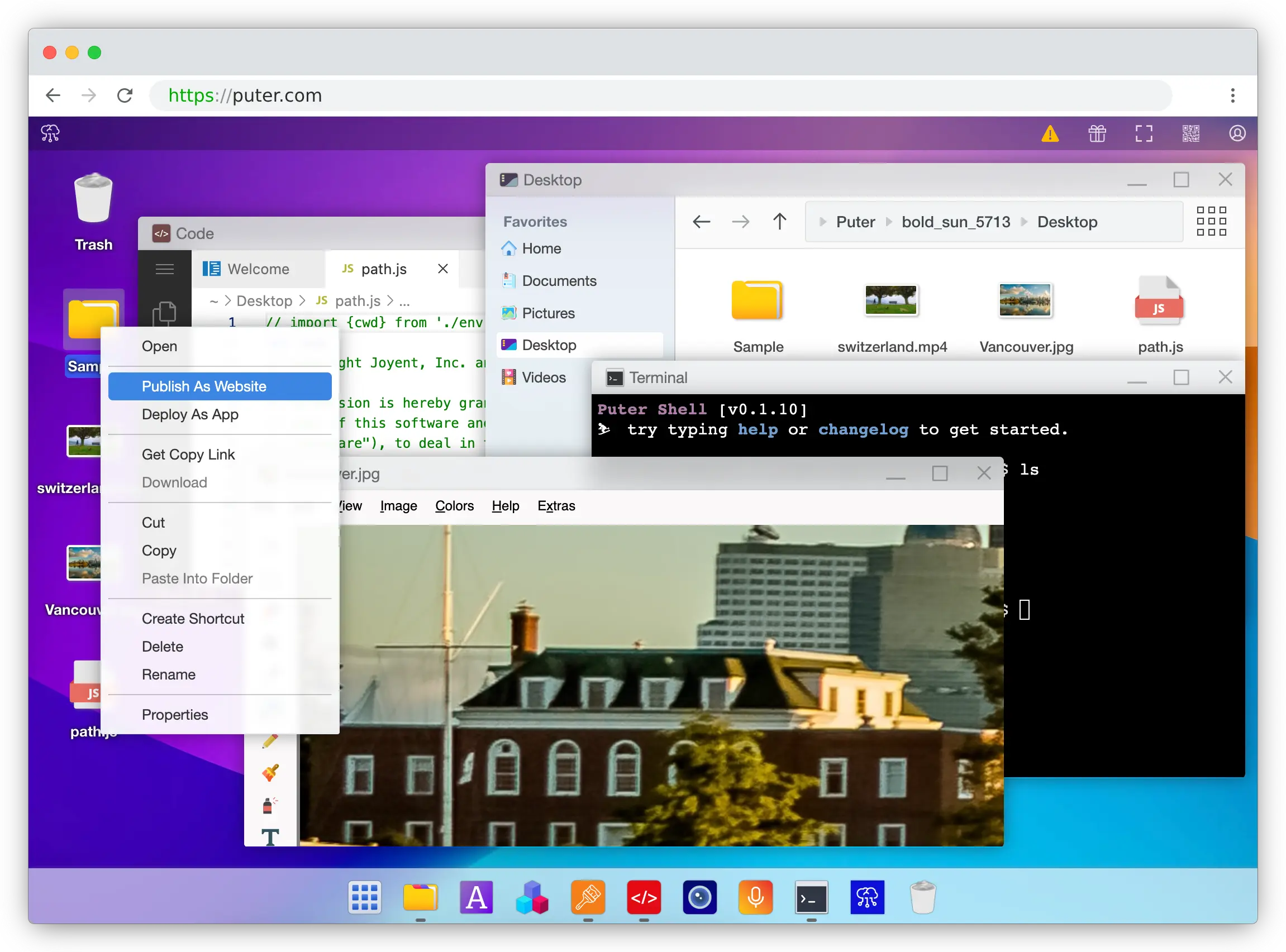
Puter is an advanced, open-source internet operating system designed to be feature-rich, fast, and highly extensible. Puter can be used as:
- A privacy-first personal cloud to keep all your files, apps, and games in one secure place, accessible from anywhere at any time.
- A platform for building and publishing websites, web apps, and games.
- An alternative to Dropbox, Google Drive, OneDrive, etc. with a fresh interface and powerful features.
- A remote desktop environment for servers and workstations.
- A friendly, open-source project and community to learn about web development, cloud computing, distributed systems, and much more!
Getting Started
💻 Local Development
git clone https://github.com/HeyPuter/puter
cd puter
npm install
npm start
→ This should launch Puter at http://puter.localhost:4100 (or the next available port).
If this does not work, see First Run Issues for troubleshooting steps.
🐳 Docker
mkdir puter && cd puter && mkdir -p puter/config puter/data && sudo chown -R 1000:1000 puter && docker run --rm -p 4100:4100 -v `pwd`/puter/config:/etc/puter -v `pwd`/puter/data:/var/puter ghcr.io/heyputer/puter
→ This should launch Puter at http://puter.localhost:4100 (or the next available port).
🐙 Docker Compose
Linux/macOS
mkdir -p puter/config puter/data
sudo chown -R 1000:1000 puter
wget https://raw.githubusercontent.com/HeyPuter/puter/main/docker-compose.yml
docker compose up
→ This should be available at http://puter.localhost:4100 (or the next available port).
Windows
mkdir -p puter
cd puter
New-Item -Path "puter\config" -ItemType Directory -Force
New-Item -Path "puter\data" -ItemType Directory -Force
Invoke-WebRequest -Uri "https://raw.githubusercontent.com/HeyPuter/puter/main/docker-compose.yml" -OutFile "docker-compose.yml"
docker compose up
→ This should launch Puter at http://puter.localhost:4100 (or the next available port).
🚀 Self-Hosting
For detailed guides on self-hosting Puter, including configuration options and best practices, see our Self-Hosting Documentation.
☁️ Puter.com
Puter is available as a hosted service at puter.com.
System Requirements
- Operating Systems: Linux, macOS, Windows
- RAM: 2GB minimum (4GB recommended)
- Disk Space: 1GB free space
- Node.js: Version 20.19.5+ (Version 23+ recommended)
- npm: Latest stable version
Support
Connect with the maintainers and community through these channels:
- Bug report or feature request? Please open an issue.
- Discord: discord.com/invite/PQcx7Teh8u
- X (Twitter): x.com/HeyPuter
- Reddit: reddit.com/r/puter/
- Mastodon: mastodon.social/@puter
- Security issues? security@puter.com
- Email maintainers at hi@puter.com
We are always happy to help you with any questions you may have. Don't hesitate to ask!
License
This repository, including all its contents, sub-projects, modules, and components, is licensed under AGPL-3.0 unless explicitly stated otherwise. Third-party libraries included in this repository may be subject to their own licenses.
Translations
- Arabic / العربية
- Armenian / Հայերեն
- Bengali / বাংলা
- Chinese / 中文
- Danish / Dansk
- English
- Farsi / فارسی
- Finnish / Suomi
- French / Français
- German / Deutsch
- Hebrew/ עברית
- Hindi / हिंदी
- Hungarian / Magyar
- Indonesian / Bahasa Indonesia
- Italian / Italiano
- Japanese / 日本語
- Korean / 한국어
- Malay / Bahasa Malaysia
- Malayalam / മലയാളം
- Polish / Polski
- Portuguese / Português
- Punjabi / ਪੰਜਾਬੀ
- Romanian / Română
- Russian / Русский
- Spanish / Español
- Swedish / Svenska
- Tamil / தமிழ்
- Telugu / తెలుగు
- Thai / ไทย
- Turkish / Türkçe
- Ukrainian / Українська
- Urdu / اردو
- Vietnamese / Tiếng Việt