mirror of
https://github.com/Forceu/Gokapi.git
synced 2026-04-23 23:18:45 -05:00
 Marc Ole Bulling
116 lines
6.2 KiB
Markdown
116 lines
6.2 KiB
Markdown
# Gokapi
|
|
|
|
|
|
### Available for:
|
|
|
|
- Bare Metal
|
|
- [Docker](https://hub.docker.com/r/f0rc3/gokapi)
|
|
|
|
## About
|
|
|
|
Gokapi is a lightweight server to share files, which expire after a set amount of downloads or days. It is similar to the discontinued [Firefox Send](https://github.com/mozilla/send), with the difference that only the admin is allowed to upload files.
|
|
|
|
This enables companies or individuals to share their files very easily and having them removed afterwards, therefore saving disk space and having control over who downloads the file from the server.
|
|
|
|
Customization is very easy with HTML/CSS knowledge. Identical files will be deduplicated.
|
|
|
|
|
|
## Screenshots
|
|
Admin Menu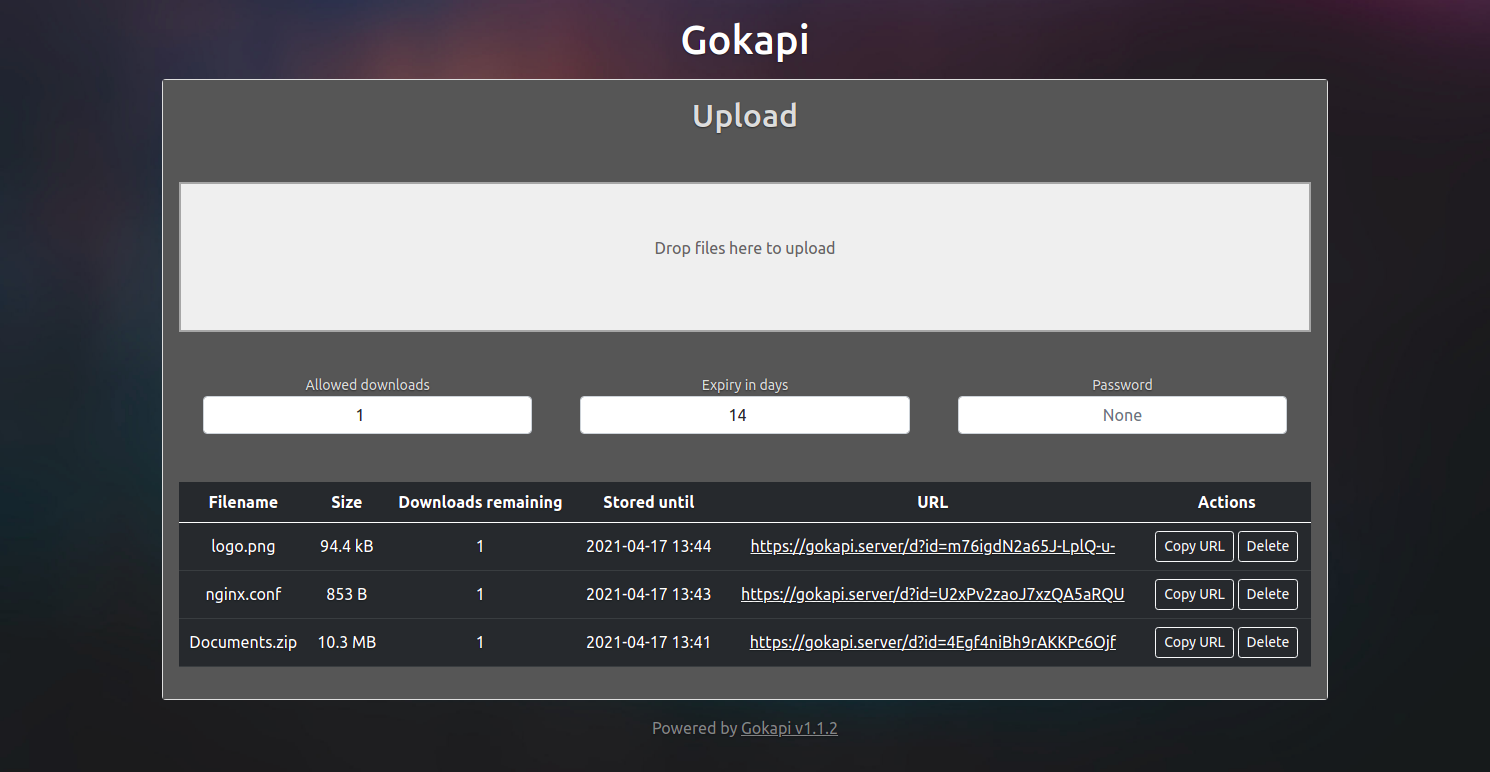
|
|
|
|
Download Link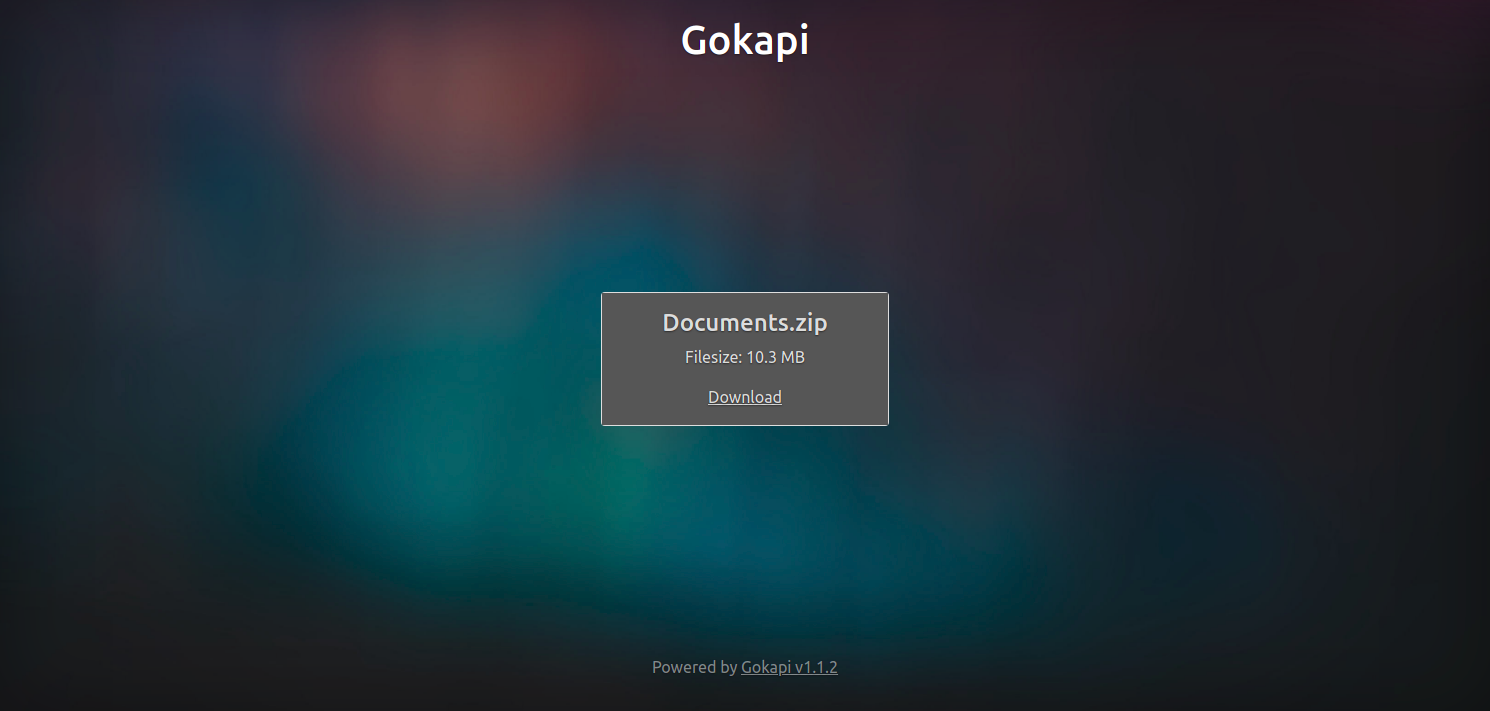
|
|
|
|
|
|
|
|
|
|
## Installation
|
|
|
|
### Bare Metal
|
|
|
|
Simply download the latest release for your platform and execute the binary (recommended). If you want to compile the source yourself, clone this repository and execute `go build`.
|
|
|
|
### Docker
|
|
|
|
Run the following command to create the container, volumes and execute the initial setup: `docker run -it -v gokapi-data:/app/data -v gokapi-config:/app/config -p 127.0.0.1:53842:53842 f0rc3/gokapi:latest`. Please note the `-it` docker argument, which is required for the first start if the configuration is not populated with environment variables!
|
|
|
|
With the argument `-p 127.0.0.1:53842:53842` the service will only be accessible from the machine it is running on. Normally you will use a reverse proxy to enable SSL - if you want to make the service available to other computers in the network without a reverse proxy, replace the argument with `-p 53842:53842`. Please note that traffic will **not** be encrypted that way and data like passwords and transferred files can easily be read by 3rd parties!
|
|
|
|
## Usage
|
|
|
|
### First start
|
|
|
|
On the first start you will be prompted for the initial configuration.
|
|
|
|
* Username: Enter the name for the admin user name (who can upload files)
|
|
* Password: This will be used to enter the admin page
|
|
* Server URL: The external URL for the Gokapi server. Hosting it with a reverse proxy and SSL is strongly recommended! For testing purposes you can enter `http://127.0.0.1:53842/`
|
|
* Index URL: The URL where the index page redirects to. Leave blank to have it redirect to the Gokapi GitHub page
|
|
* Bind port to localhost: If you choose yes, you can only access Gokapi on the machine or by using a reverse proxy. Strongly recommended! Not displayed when deployed with Docker.
|
|
|
|
Then you can navigate to `http://127.0.0.1:53842/admin` in your browser and login with the credentials.
|
|
|
|
### Uploading
|
|
|
|
To upload, drag and drop a file, folder or multiple files to the Upload Zone. If you want to change the default expiry conditions, this has to be done before uploading. For each file an entry in the table will appear with a download link. You can also delete files on this screen.
|
|
|
|
|
|
### Environment Variables
|
|
|
|
#### Overview
|
|
|
|
For easy configuration or deployment, environment variables can be passed.
|
|
|
|
Name | Action | Persistent* | Default
|
|
--- | --- | --- | ---
|
|
GOKAPI_CONFIG_DIR | Sets the directory for the config file | No | `config`
|
|
GOKAPI_CONFIG_FILE | Sets the name of the config file | No | `config.json`
|
|
GOKAPI_DATA_DIR | Sets the directory for the data | Yes | `data`
|
|
GOKAPI_USERNAME | Sets the admin username | Yes | unset
|
|
GOKAPI_PASSWORD | Sets the admin password | Yes | unset
|
|
GOKAPI_PORT | Sets the server port | Yes | `53842`
|
|
GOKAPI_EXTERNAL_URL | Sets the external URL where Gokapi can be reached | Yes | unset
|
|
GOKAPI_REDIRECT_URL | Sets the external URL where Gokapi will redirect to the index page is accesses | Yes | unset
|
|
GOKAPI_SALT_ADMIN | Sets the salt for the admin password hash | Yes | default salt
|
|
GOKAPI_SALT_FILES | Sets the salt for the file password hashes | Yes | default salt
|
|
GOKAPI_LOCALHOST | Bind server to localhost. Expects `true`/`false`/`yes`/`no`, always false for Docker images | Yes | `false` for Docker, otherwise unset
|
|
GOKAPI_LENGTH_ID | Sets the length of the download IDs. Value needs to be 5 or more | Yes | `15`
|
|
|
|
*Variables that are persistent must be submitted during the first start when Gokapi creates a new config file. They can be omitted afterwards. Non-persistent variables need to be set on every start.
|
|
|
|
|
|
#### Usage
|
|
|
|
For Docker environments, use the `-e` flag to pass variables. Example: `docker run -it -e GOKAPI_USERNAME=admin -e GOKAPI_LENGTH_ID=20 [...] f0rc3/gokapi:latest`
|
|
|
|
For Linux environments, execute the binary in this format: `GOKAPI_USERNAME=admin GOKAPI_LENGTH_ID=20 ./gokapi`
|
|
|
|
|
|
### Customizing
|
|
|
|
By default, all files are included in the executable. If you want to change the layout (e.g. add your company logo or change the app name etc.), follow these steps:
|
|
* Clone this repository
|
|
* Copy either the folder `static`, `templates` or both to the directory where the executable is located
|
|
* Make changes to the folders. `static` contains images, CSS files and JavaScript. `templates` contains the HTML code.
|
|
* Restart the server. If the folders exist, the server will use the local files instead of the embedded files
|
|
* Optional: To embed the files permanently, the executable needs to be recompiled with `go build`.
|
|
|
|
|
|
## Contributors
|
|
<a href="https://github.com/forceu/gokapi/graphs/contributors">
|
|
<img src="https://contributors-img.web.app/image?repo=forceu/gokapi" />
|
|
</a>
|
|
|
|
## License
|
|
|
|
This project is licensed under the GNU GPL3 - see the [LICENSE.md](LICENSE.md) file for details
|
|
|
|
|
|
## Donations
|
|
|
|
As with all Free software, the power is less in the finances and more in the collective efforts. I really appreciate every pull request and bug report offered up by our users! If however, you're not one for coding/design/documentation, and would like to contribute financially, you can do so with the link below. Every help is very much appreciated!
|
|
|
|
[](https://www.paypal.com/cgi-bin/webscr?cmd=_donations&business=donate@bulling.mobi&lc=US&item_name=BarcodeBuddy&no_note=0&cn=¤cy_code=EUR&bn=PP-DonationsBF:btn_donateCC_LG.gif:NonHosted) [](https://liberapay.com/MBulling/donate)
|
|
|
|
|
|
|