mirror of
https://github.com/appium/appium.git
synced 2026-04-23 20:11:08 -05:00
 Jonathan Lipps
218 lines
10 KiB
Markdown
218 lines
10 KiB
Markdown
[](https://vshymanskyy.github.io/StandWithUkraine/)
|
|
|
|
<p align="center">
|
|
<a href="https://appium.io/">
|
|
<img alt="Appium" src="https://raw.githubusercontent.com/appium/appium/master/packages/appium/docs/overrides/assets/images/appium-logo-horiz.png" width="500">
|
|
</a>
|
|
</p>
|
|
<p align="center">
|
|
Cross-platform test automation for native, hybrid, mobile web and desktop apps.
|
|
</p>
|
|
|
|
<div align="center">
|
|
|
|
[](https://npmjs.org/package/appium)
|
|
[](https://npmjs.org/package/appium)
|
|
[](https://app.fossa.io/projects/git%2Bhttps%3A%2F%2Fgithub.com%2Fappium%2Fappium?ref=badge_shield)
|
|
[](https://github.com/vshymanskyy/StandWithUkraine/)
|
|
|
|
</div>
|
|
|
|
***
|
|
|
|
<p align="center"><b>
|
|
<a href="https://appium.io">Documentation</a> |
|
|
<a href="https://appium.io/docs/en/latest/intro/">Get Started</a> |
|
|
<a href="https://appium.io/docs/en/latest/ecosystem/">Ecosystem</a> |
|
|
<a href="https://github.com/appium/appium/blob/master/packages/appium/CHANGELOG.md">Changelog</a> |
|
|
<a href="https://appium.io/docs/en/latest/contributing/">Contributing Guide</a> |
|
|
<a href="https://discuss.appium.io">Discussion Forum</a>
|
|
</b></p>
|
|
|
|
***
|
|
|
|
Appium is an open-source automation framework that provides
|
|
[WebDriver](https://www.w3.org/TR/webdriver/)-based automation possibilities for a wide range of
|
|
different mobile, desktop and IoT platforms. Appium is modular and extensible, and supports multiple
|
|
programming languages, which means there is an entire ecosystem of related software:
|
|
* [__Drivers__](#drivers) add support for automating specific platforms
|
|
* [__Clients__](#clients) allow writing Appium tests in your programming language of choice
|
|
* [__Plugins__](#plugins) allow to further extend Appium functionality
|
|
|
|
## Migrating From Appium 1 to Appium 2
|
|
|
|
As of January 1st, 2022, the Appium team no longer maintains or supports Appium 1. All officially
|
|
supported platform drivers are only compatible with Appium 2.
|
|
|
|
__[Please read the Migration Guide](https://appium.io/docs/en/latest/guides/migrating-1-to-2/) if you
|
|
are still using Appium 1.__
|
|
|
|
> [!WARNING]
|
|
> If you use Appium Desktop or Appium Server GUI, you will not be able to upgrade to Appium 2, as
|
|
both of these tools have been deprecated. Please use [Appium Inspector](https://github.com/appium/appium-inspector)
|
|
in combination with a standalone Appium 2 server.
|
|
|
|
## Installation
|
|
|
|
Appium can be installed using `npm` (other package managers are not currently supported). Please
|
|
check the [installation docs](http://appium.io/docs/en/latest/quickstart/install/) for the
|
|
system requirements and further information.
|
|
|
|
If upgrading from Appium 1, make sure Appium 1 is fully uninstalled (`npm uninstall -g appium`).
|
|
Unexpected errors might appear if this has not been done.
|
|
|
|
```bash
|
|
npm i -g appium
|
|
```
|
|
|
|
Note that this will only install the core Appium server, which cannot automate anything on its own.
|
|
Please install [drivers](#drivers) for your target platforms in order to automate them.
|
|
|
|
## Drivers
|
|
|
|
Appium supports app automation across a variety of platforms, like iOS, Android, macOS, Windows,
|
|
and more. Each platform is supported by one or more "drivers", which know how to automate that
|
|
particular platform. You can find a full list of officially-supported and third-party drivers in
|
|
[Appium Ecosystem's Drivers page](http://appium.io/docs/en/latest/ecosystem/drivers/).
|
|
|
|
Driver management is done using [Appium's Extension command-line interface](http://appium.io/docs/en/latest/cli/extensions/):
|
|
|
|
```bash
|
|
# Install an official driver from npm (see documentation for a list of such drivers)
|
|
appium driver install <driver-name>
|
|
# Install any driver from npm
|
|
appium driver install --source=npm <driver-name>
|
|
# See documentation for installation from other sources
|
|
|
|
# List already installed drivers
|
|
appium driver list --installed
|
|
# Update a driver (it must be already installed)
|
|
# This will NOT update the major version, in order to prevent breaking changes
|
|
appium driver update <driver-name>
|
|
# Update a driver to the most recent version (may include breaking changes)
|
|
appium driver update <driver-name> --unsafe
|
|
# Uninstall a driver (it won't last forever, will it?)
|
|
appium driver uninstall <driver-name>
|
|
```
|
|
|
|
## Clients
|
|
|
|
Client libraries enable writing Appium tests in different programming languages. There are
|
|
officially-supported clients for Java, Python, Ruby, and .NET C#, as well as third-party clients
|
|
for other languages. You can find a full list of clients in
|
|
[Appium Ecosystem's Clients page](http://appium.io/docs/en/latest/ecosystem/clients/).
|
|
|
|
## Plugins
|
|
|
|
Plugins allow you to extend server functionality without changing the server code. The main
|
|
difference between drivers and plugins is that the latter must be explicitly enabled on
|
|
Appium server startup (all installed drivers are enabled by default):
|
|
|
|
```bash
|
|
appium --use-plugins=<plugin-name>
|
|
```
|
|
|
|
You can find a full list of officially-supported and third-party plugins in
|
|
[Appium Ecosystem's Plugins page](http://appium.io/docs/en/latest/ecosystem/plugins/).
|
|
|
|
Similarly to drivers, plugin management is also done using
|
|
[Appium's Extension command-line interface](http://appium.io/docs/en/latest/cli/extensions/):
|
|
|
|
```bash
|
|
# Install an official plugin from npm (see documentation for a list of such plugins)
|
|
appium plugin install <plugin-name>
|
|
# Install any plugin from npm
|
|
appium plugin install --source=npm <plugin-name>
|
|
# See documentation for installation from other sources
|
|
|
|
# List already installed plugins
|
|
appium plugin list --installed
|
|
# Update a plugin (it must be already installed)
|
|
# This will NOT update the major version, in order to prevent breaking changes
|
|
appium plugin update <plugin-name>
|
|
# Update a plugin to the most recent version (may include breaking changes)
|
|
appium plugin update <plugin-name> --unsafe
|
|
# Uninstall a plugin
|
|
appium plugin uninstall <plugin-name>
|
|
```
|
|
|
|
## Server Command Line Interface
|
|
|
|
In order to start sending commands to the Appium server, it must be running on the URL and port
|
|
where your client library expects it to listen. [Appium's command-line interface](http://appium.io/docs/en/latest/cli/args/)
|
|
is used to launch and configure the server:
|
|
|
|
```bash
|
|
# Start the server on the default host (0.0.0.0) and port (4723)
|
|
appium server
|
|
# You can also omit the 'server' subcommand
|
|
appium
|
|
# Start the server on the given host, port and use a custom base path prefix (the default prefix is '/')
|
|
appium --address 127.0.0.1 --port 9000 --base-path /wd/hub
|
|
```
|
|
|
|
Appium supports execution of parallel server processes, as well as parallel driver sessions within a
|
|
single server process. Refer the corresponding driver documentations regarding which mode is optimal
|
|
for the particular driver or whether it supports parallel sessions.
|
|
|
|
## Why Appium?
|
|
|
|
1. You usually don't have to recompile your app or modify it in any way, due to the use of standard
|
|
automation APIs on all platforms.
|
|
2. You can write tests with your favorite dev tools using any WebDriver-compatible language such as
|
|
Java, Python, Ruby and C#. There are also third party client implementations for other languages.
|
|
3. You can use any testing framework.
|
|
4. Some drivers like `xcuitest` and `uiautomator2` have built-in mobile web and hybrid app support.
|
|
Within the same script, you can switch seamlessly between native app automation and webview
|
|
automation, all using the WebDriver model that's already the standard for web automation.
|
|
5. You can run your automated tests locally and in a cloud. There are multiple cloud providers that
|
|
support various Appium drivers (mostly targeting iOS and Android mobile automation).
|
|
6. [Appium Inspector](https://github.com/appium/appium-inspector) can be used to visually inspect
|
|
the page source of applications across different platforms, facilitating easier test development.
|
|
|
|
Investing in the [WebDriver](https://w3c.github.io/webdriver/webdriver-spec.html) protocol means you
|
|
are betting on a single, free, and open protocol for testing that has become a web standard. Don't
|
|
lock yourself into a proprietary stack.
|
|
|
|
For example, if you use Apple's XCUITest library without Appium, you can only write tests using
|
|
Obj-C/Swift, and you can only run tests through Xcode. Similarly, with Google's UiAutomator or
|
|
Espresso, you can only write tests in Java/Kotlin. Appium opens up the possibility of true
|
|
cross-platform native app automation, for mobile and beyond!
|
|
|
|
If you are looking for a more comprehensive description of what this is all about, please read our
|
|
documentation on [How Does Appium Work?](https://appium.io/docs/en/latest/intro/appium/).
|
|
|
|
## Sponsors
|
|
|
|
Appium has a [Sponsorship Program](GOVERNANCE.md#sponsorship)! If you or your company uses Appium
|
|
and wants to give back financially to the project, we use these funds to [encourage development and
|
|
contributions](GOVERNANCE.md#compensation-scheme), as well as support other open source projects we
|
|
rely on. [Become a sponsor](https://opencollective.com/appium) via our OpenCollective page.
|
|
|
|
### Development and Strategic Partners
|
|
|
|
Appium is incredibly grateful to our Development and Strategic Partners for their sustained
|
|
contribution of project development and leadership!
|
|
|
|
<p align="center">
|
|
<a href="https://www.browserstack.com/browserstack-appium?utm_campaigncode=701OW00000AoUTQYA3&utm_medium=partnered&utm_source=appium">
|
|
<picture>
|
|
<source srcset="packages/appium/docs/overrides/assets/images/sponsor-logo-browserstack-dark.png" media="(prefers-color-scheme: dark)"/>
|
|
<source srcset="packages/appium/docs/overrides/assets/images/sponsor-logo-browserstack-light.png" media="(prefers-color-scheme: light)"/>
|
|
<img src="packages/appium/docs/overrides/assets/images/sponsor-logo-browserstack-dark.png" width="300" alt="Browserstack"/>
|
|
</picture>
|
|
</a>
|
|
</p>
|
|
|
|
### Other Sponsors
|
|
|
|
A full list of sponsors is available at our [Sponsors page](https://appium.io/docs/en/latest/sponsors/).
|
|
|
|
## License
|
|
|
|
[Apache-2.0](./LICENSE)
|
|
|
|
[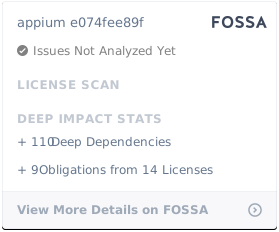](https://app.fossa.io/projects/git%2Bhttps%3A%2F%2Fgithub.com%2Fappium%2Fappium?ref=badge_large)
|
|
|
|
`@appium/logger` package is under [ISC](./packages/logger/LICENSE) License.
|