mirror of
https://github.com/pallets-eco/flask-debugtoolbar.git
synced 2026-01-04 04:29:32 -06:00

45 lines
1.2 KiB
Markdown
45 lines
1.2 KiB
Markdown
# Flask-DebugToolbar
|
|
|
|
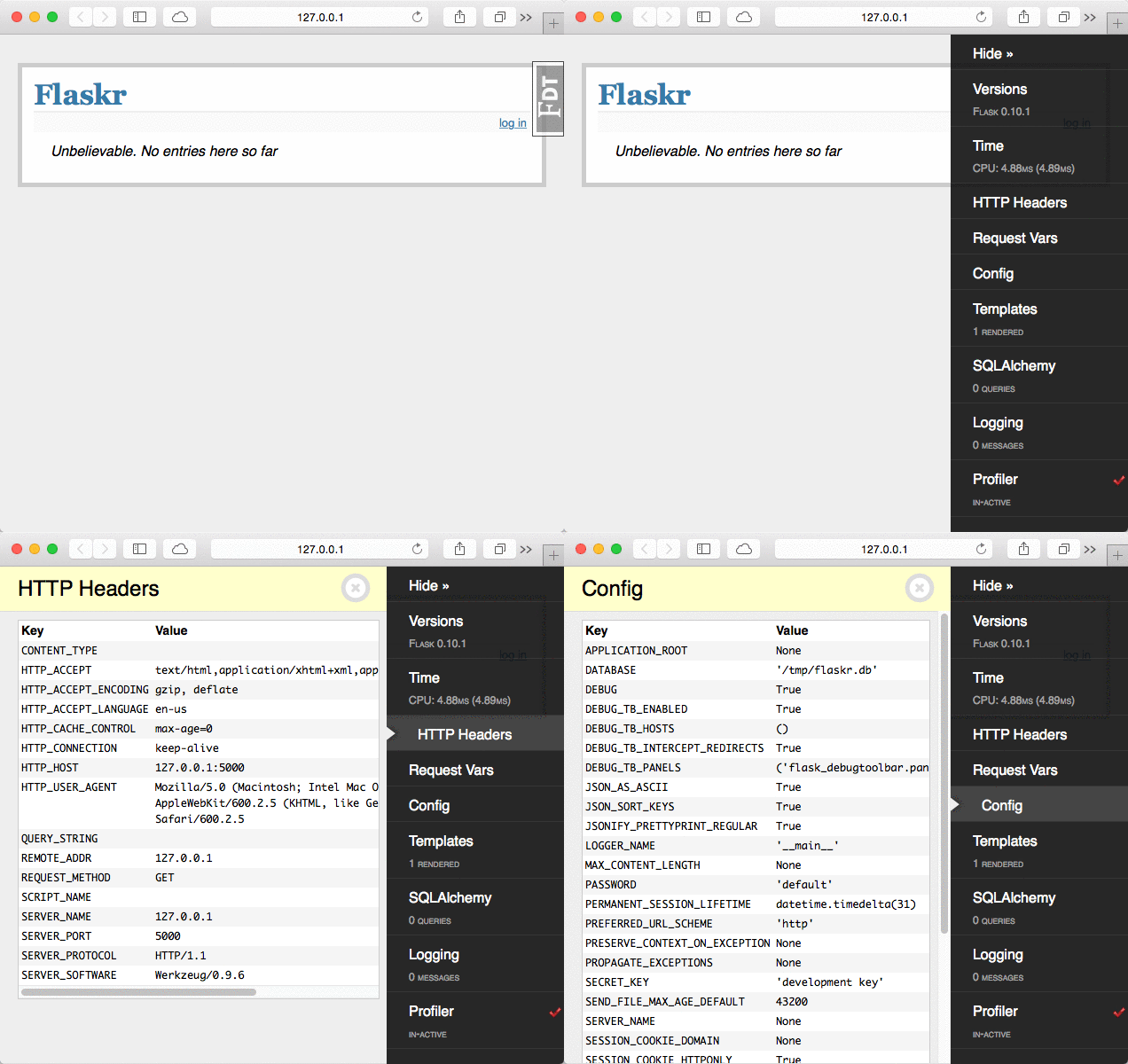
A [Flask][] extension that injects debugging information into rendered HTML
|
|
pages. Presented as a sidebar with configurable panels of information.
|
|
|
|
This is a port of the excellent [django-debug-toolbar][ddt].
|
|
|
|
[Flask]: https://flask.palletsprojects.com
|
|
[ddt]: https://github.com/jazzband/django-debug-toolbar/
|
|
|
|
|
|
## Pallets Community Ecosystem
|
|
|
|
> [!IMPORTANT]\
|
|
> This project is part of the Pallets Community Ecosystem. Pallets is the open
|
|
> source organization that maintains Flask; Pallets-Eco enables community
|
|
> maintenance of related projects. If you are interested in helping maintain
|
|
> this project, please reach out on [the Pallets Discord server][discord].
|
|
|
|
[discord]: https://discord.gg/pallets
|
|
|
|
|
|
## Example
|
|
|
|
Setting up the debug toolbar is simple:
|
|
|
|
```python
|
|
from flask import Flask
|
|
from flask_debugtoolbar import DebugToolbarExtension
|
|
|
|
app = Flask(__name__)
|
|
app.config["SECRET_KEY"] = "<replace with a secret key>"
|
|
|
|
toolbar = DebugToolbarExtension(app)
|
|
```
|
|
|
|
The toolbar will automatically be injected into Jinja templates when debug
|
|
mode is enabled.
|
|
|
|
```
|
|
$ flask -A my_app run --debug
|
|
```
|
|
|
|
|