 huiseo
9ec5c473f1
huiseo
9ec5c473f1
* fix: prevent list conversion inside heading nodes

Fixes a bug where typing list syntax (e.g., "1. ", "* ", "[ ]")
inside heading nodes would incorrectly trigger list conversion.

Previously, when a user selected H1 from the "/" menu and typed
"1. " followed by a space, the OrderedList inputRule would attempt
to convert the heading into an ordered list, causing a conflict
since headings can only contain inline content.

Changes:
- Add isInHeading utility to detect if selection is inside a heading
- Create safeWrappingInputRule wrapper that prevents list conversion
  when inside heading nodes
- Apply the fix to OrderedList, BulletList, and CheckboxList nodes

This ensures that list markdown syntax is preserved as plain text
when typed within headings, matching expected editor behavior.

* refactor: extract listWrappingInputRule to shared helper

Refactored duplicated safeWrappingInputRule implementations across
BulletList, OrderedList, and CheckboxList into a single shared helper
function named listWrappingInputRule in shared/editor/lib/listInputRule.ts.

This reduces code duplication and follows the same pattern as other
input rule helpers like markInputRule.

Changes:
- Create shared/editor/lib/listInputRule.ts with listWrappingInputRule
- Update BulletList.ts to use shared helper
- Update OrderedList.ts to use shared helper
- Update CheckboxList.ts to use shared helper
- Restore .env.development file

Co-Authored-By: huiseo <hui.seo@gmail.com>

A fast, collaborative, knowledge base for your team built using React and Node.js.
Try out Outline using our hosted version at www.getoutline.com.





This is the source code that runs Outline and all the associated services. If you want to use Outline then you don't need to run this code, A hosted version of the app is offered at getoutline.com. You can also find documentation on using Outline in our guide.
If you'd like to run your own copy of Outline or contribute to development then this is the place for you.
Installation
Please see the documentation for running your own copy of Outline in a production configuration.
If you have questions or improvements for the docs please create a thread in GitHub discussions.
Development
There is a short guide for setting up a development environment if you wish to contribute changes, fixes, and improvements to Outline.
Contributing
Outline is built and maintained by a small team – we'd love your help to fix bugs and add features!
Before submitting a pull request please discuss with the core team by creating or commenting in an issue on GitHub – we'd also love to hear from you in the discussions. This way we can ensure that an approach is agreed on before code is written. This will result in a much higher likelihood of your code being accepted.
If you’re looking for ways to get started, here's a list of ways to help us improve Outline:
- Translation into other languages
- Issues with
good first issuelabel - Performance improvements, both on server and frontend
- Developer happiness and documentation
- Bugs and other issues listed on GitHub
Architecture
If you're interested in contributing or learning more about the Outline codebase please refer to the architecture document first for a high level overview of how the application is put together.
Debugging
In development Outline outputs simple logging to the console, prefixed by categories. In production it outputs JSON logs, these can be easily parsed by your preferred log ingestion pipeline.
HTTP logging is disabled by default, but can be enabled by setting the DEBUG=http environment variable. logging
can be enabled for all categories by setting DEBUG=* or for specific categories such as DEBUG=database and LOG_LEVEL=debug, or LOG_LEVEL=silly for very verbose logging.
Tests
We aim to have sufficient test coverage for critical parts of the application and aren't aiming for 100% unit test coverage. All API endpoints and anything authentication related should be thoroughly tested.
To add new tests, write your tests with Jest and add a file with .test.ts extension next to the tested code.
# To run all tests
make test

# To run backend tests in watch mode
make watch
Once the test database is created with make test you may individually run
frontend and backend tests directly with jest:
# To run backend tests
yarn test:server

# To run a specific backend test in watch mode
yarn test path/to/file.test.ts --watch

# To run frontend tests
yarn test:app
Migrations
Sequelize is used to create and run migrations, for example:
yarn db:create-migration --name my-migration
yarn db:migrate
yarn db:rollback
Or, to run migrations on test database:
yarn db:migrate --env test
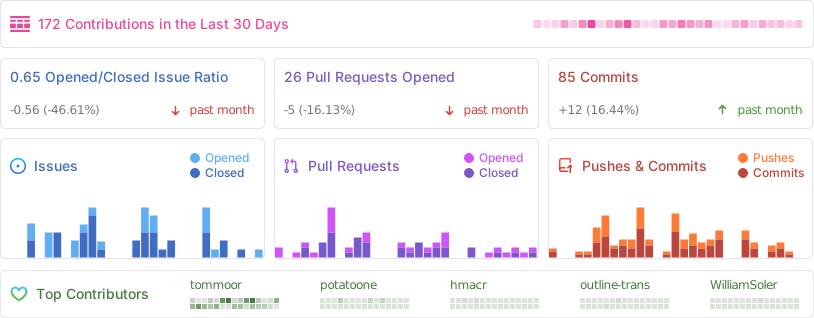
Activity
License
Outline is BSL 1.1 licensed.